Aircraft pass over my house all day, and every one of them says who it is: airliners and most other aircraft broadcast their identity, position, altitude and speed by radio, a system called ADS-B, which a cheap USB dongle can hear. ZenithBoard is what I built around that dongle: a Raspberry Pi that listens, shares what it hears with the big flight-tracking networks, and shows the aircraft overhead on an old tablet, in glowing dots or as an airport departure board.
This article introduces the whole thing: the receiver, the installer and the wall. The parts that came later, such as the posts on Bluesky, have articles of their own. As with everything on this site, I did not write the code. An AI coding agent did, under rules I wrote and with every change accepted by me.
A receiver that feeds the networks
The hardware is modest: a Raspberry Pi, a radio dongle with a 1090 MHz antenna, and a memory card. The reference Pi is a 3B with 1 GB. Measured with everything running, it still had over half its memory free: how far you hear depends on the antenna, not the processor.
On the Pi, a decoder turns the radio signal into aircraft: readsb by default, or FlightAware’s dump1090-fa. Both publish on the same local port, so everything downstream works with either. From there the Pi feeds the networks that anyone can browse:
- ADSB Exchange, always on, as the base layer;
- FlightAware, Flightradar24 and Plane Finder, each optional, ticked in a list;
- AirNav Radar, once RadarBox, the fifth since 30 October 2026, optional too, its MLAT switched off.
One rule came from measurement, not taste: only one MLAT client runs at a time. MLAT works out the position of aircraft that do not broadcast one, from the timing of their signals at several receivers. Several on one small Pi overload it, so the installer keeps exactly one.
In the United States, where many small aircraft use 978 MHz, the installer offers that frequency too, and says plainly that it has not been tried on real hardware yet. ACARS, the text messages aircraft exchange with the ground, was offered for a while and then removed: it had never run on the reference Pi and needed more memory than a 1 GB board has.
A guided wizard, then one menu per subject
I had in mind someone who has never opened a terminal. Write Raspberry Pi OS to the card with the official Imager, connect to the Pi over SSH, download ZenithBoard and run its installer. It asks four questions once, the region, the units, the antenna’s position and how close an aircraft must be to appear, then offers Start here: the first installation in five steps, skipping whatever is already done. A backup from another card if you have one; the decoder and the networks; the wall; a list of what is worth switching on, all ticked, to untick at will; and the web console, where you finish in your browser.
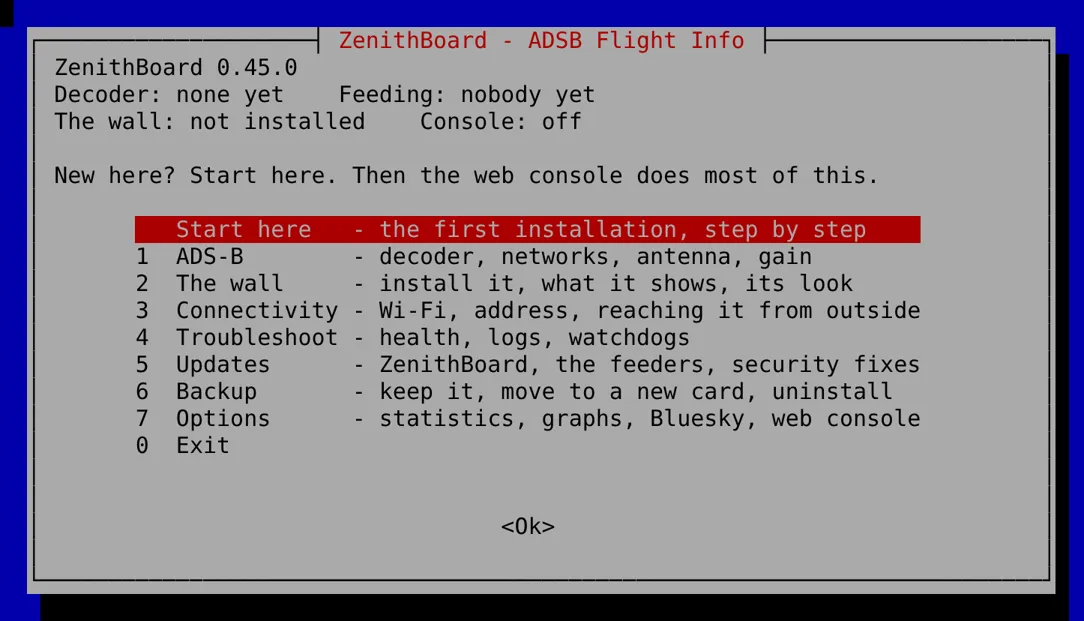
Afterwards, each subject has its own menu of seven entries at most: ADS-B, the wall, connectivity, troubleshooting, updates, backup and options. Everything in the menus also exists as a command; the wiki lists every one, and a test fails if one is missing. The same settings are in a web console served by the Pi, readable on a phone, in twenty languages (twenty-two since).
A few decisions came straight from service management:
- Features are off by default and every one can be turned off again. An
offputs back whatonfound. - Irreversible steps ask for a typed word. Uninstalling sits in the Backup menu and asks you to type
uninstall. One Enter too many at the end of a list must not take a working receiver down. - One backup file moves everything to a new card: settings, statistics, logs and the networks’ identities, with no secret in the settings.
- Updates come in two sizes, ZenithBoard alone in seconds or everything, and the new code must carry a valid signature before it runs. A setting I chose is never changed by an update: the update says what it would advise, and gives the command.
The wall: dots or flaps
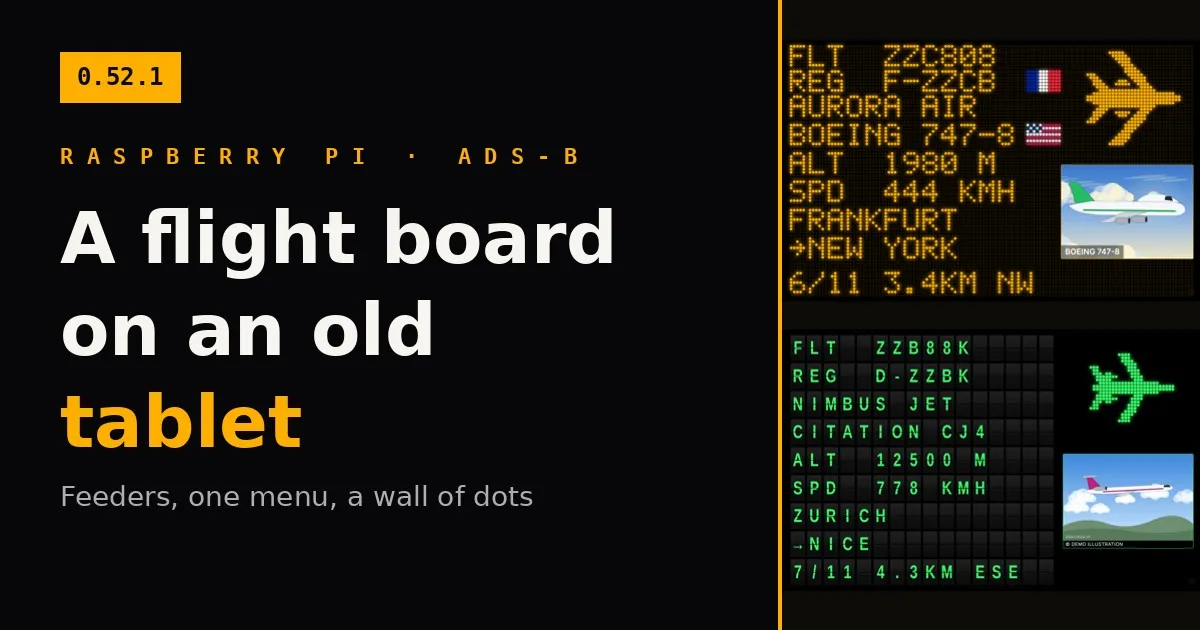
The wall is a web page served by the Pi on the home network. Any tablet with a browser can show it: add it to the home screen, and it runs full screen, stays awake and reloads itself if the Pi restarts. It shows the aircraft inside the chosen radius, nearest first, fourteen seconds each.
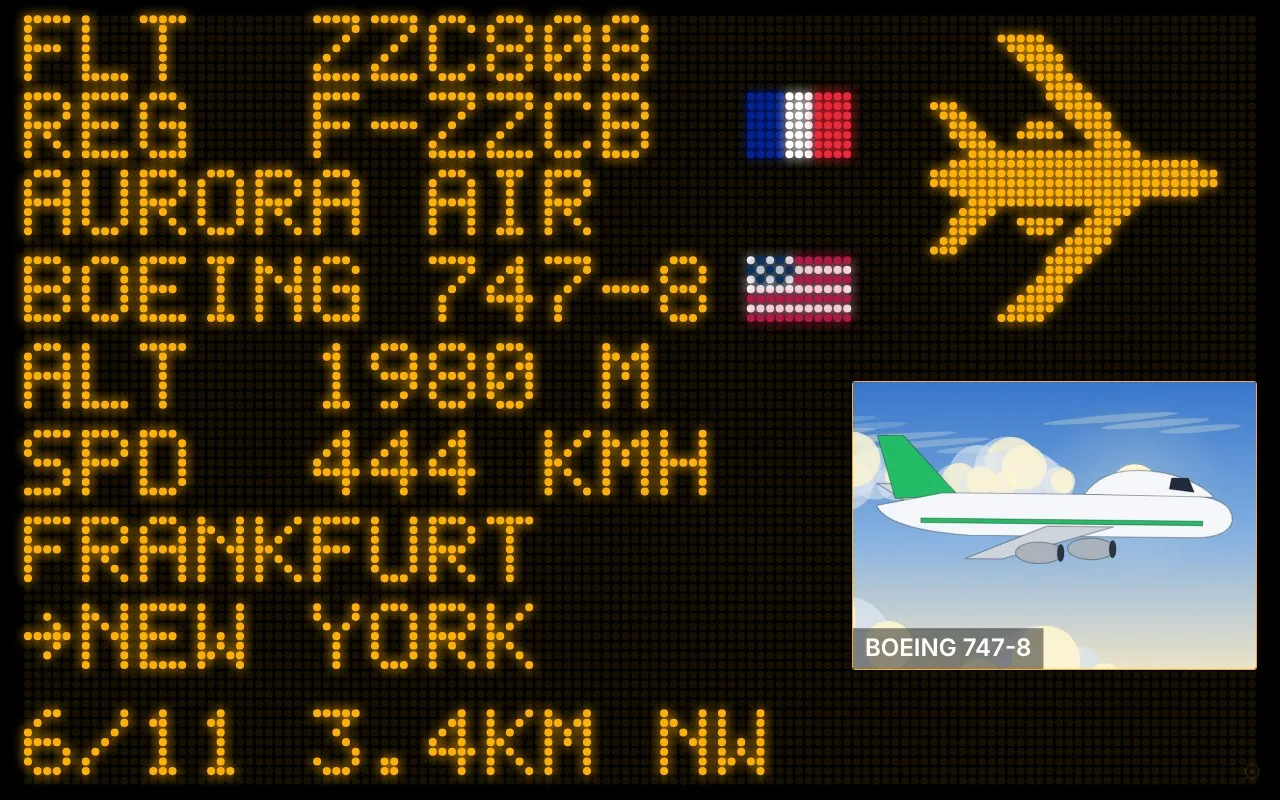
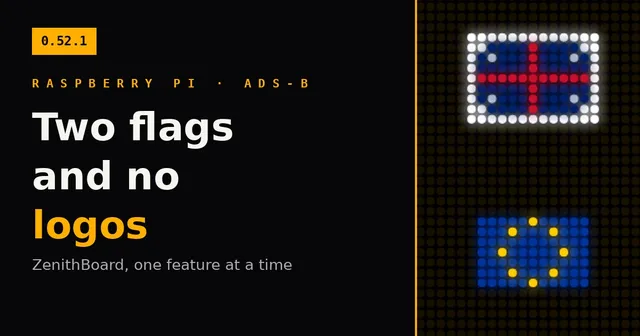
On the left, in dots: the flight and the registration, the airline, the aircraft type, altitude and speed, where the flight comes from and where it goes, then its distance. Top right, a silhouette that matches the aircraft’s design: fifteen kinds, from a four-engine airliner to a helicopter or a glider, drawn from original shapes because airline logos are trademarks. Bottom right, a real photo of that very aircraft from Planespotters, credited to its photographer and loaded by the tablet itself, as their terms require; with no photo, an animated sky that follows the time of day.
The same data has a second look, chosen on each tablet or for the whole house: the split-flap board of an old airport hall, whose letters roll one by one until they land on the next aircraft.
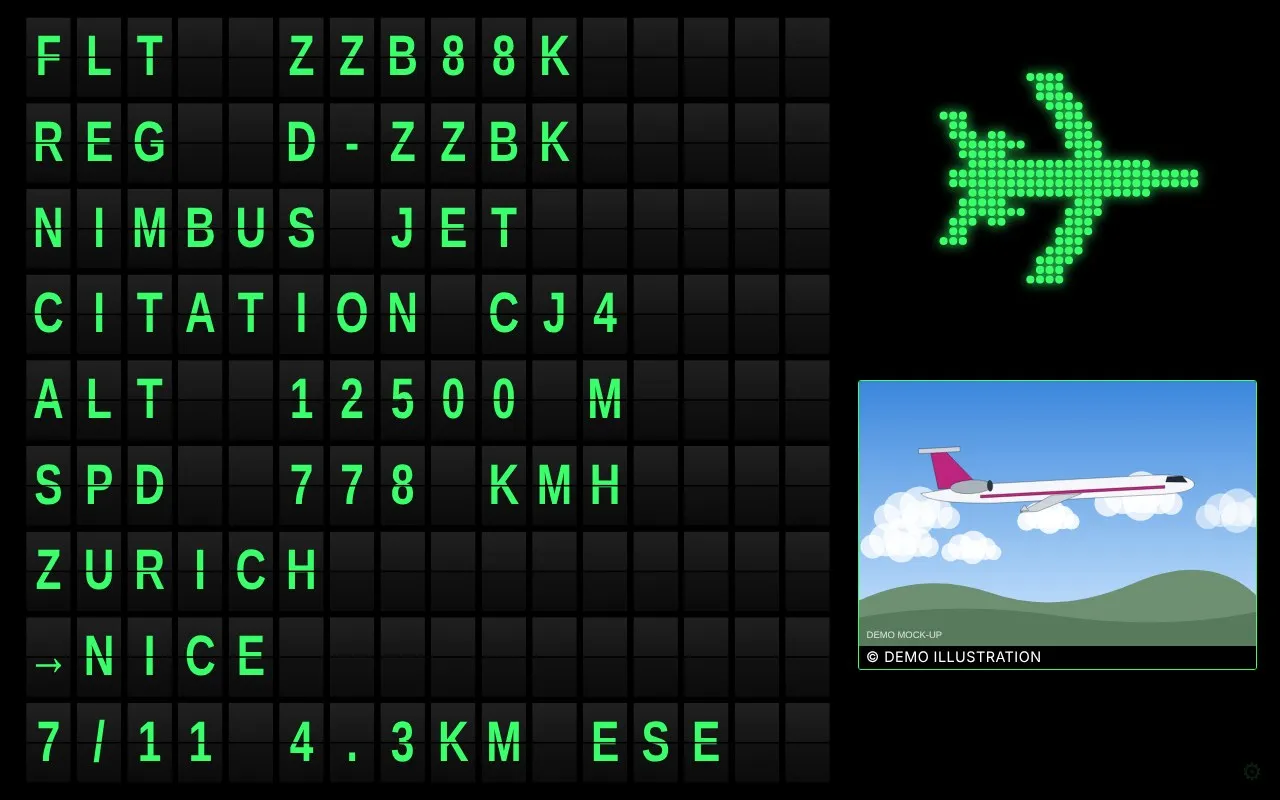
The colour is amber by default, or green, red, white or turquoise. A faint gear in the corner of the tablet changes the look, the units, the radius or the colour for that screen alone, and named presets give each tablet its own address. The wall answers the home network only; Tailscale, set up from the menu, makes it reachable from anywhere without opening a port.
Built with an agent, accepted by me
ZenithBoard is at version 0.52.1 as I write, after many small releases, each one triggered by something I saw on the real wall or the real Pi. The agent reads an instruction file before every session, and its hard rules are mine: no airline or maker logos; never disable package signature checks; features off by default; every change reversible; nothing ships that nobody has seen, so a new picture or screen is previewed before it is merged; figures checked against the real service or the real Pi, never guessed; secrets never in the settings, the logs or the conversation.
The tests run against stand-ins for the system, the radio and the services, so a green suite proves the logic and never the hardware. The status page keeps two columns: what has been proven on a real Pi, and what is written and unit-tested, not yet run for real. That distinction is the most useful thing I brought from my day job. A feature is not done because the pipeline is green; it is done when the person who runs it has seen it work.
ZenithBoard lives at zenithboard.app, the story behind it is on this site, and the code is on GitHub under GPL-3.0, with a demo that runs on any computer without an antenna. The next article looks at one small feature of the wall, and at why it took five releases to get right.
Where it stands now
Updated on 30 October 2026. A week after this article, ZenithBoard is at version 0.99.7, the release candidate for 1.0: the features were frozen on 25 October, and only fixes go in while my Pi runs a month hands-off. I let two features through the freeze on 30 October, at my own word and with the price written down (the month starts again): AirNav Radar as a fifth network, and Telegram messages to my own chat, the same crossings as the posts plus the emergency squawks (7500, 7600, 7700) heard anywhere in range, which are never posted publicly. Both run on my Pi since that evening: AirNav Radar with its MLAT switched off, and the first messages in my chat a few minutes after the setup. 1.0 comes on 29 November 2026 at the earliest, if nothing is left open. The ZenithBoard page shows both.
Theme: ZenithBoard. Topics: ZenithBoard, ADS-B, Raspberry Pi, Agentic coding.